



A Guide to Medical Practice Management Software
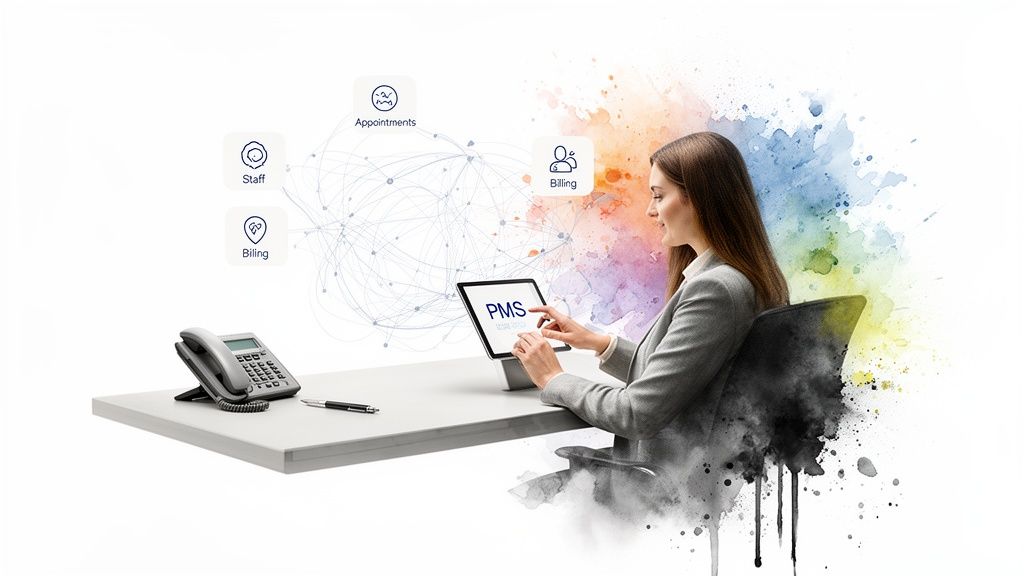
Think of medical practice management software (PMS) as the central nervous system of a medical office. It’s the operational backbone that handles pretty much everything except the direct clinical care, from the moment a patient schedules an appointment to the day their final bill is paid. This software is what keeps the business side of a practice running smoothly.
The Command Center for Your Clinic
If an Electronic Health Record (EHR) is the digital version of a patient’s medical chart, the practice management system is the clinic’s command center. It doesn’t track symptoms or diagnoses. Instead, it’s all about the logistics: coordinating appointments, managing staff schedules, handling the complexities of medical billing, and keeping patient communication flowing.
This technology takes what used to be a mountain of paperwork and a series of disconnected, often chaotic, administrative tasks and organizes them into a single, efficient workflow. By automating these daily operations, a PMS frees up your staff to focus less on administrative headaches and more on what truly matters – the patient experience.
Moving from manual processes to an integrated software platform isn’t just a nice-to-have anymore; it’s essential for any modern practice looking to thrive. The market data tells the same story. The global medical practice management software market was valued at USD 9.61 billion and is expected to more than double, reaching USD 21.22 billion by 2033. This incredible growth underscores the urgent need for operational efficiency as patient loads continue to grow. You can discover more insights about this market surge by seeing the trend for yourself.
The Core Functions of a PMS
At its core, a good PMS is built to master a few critical business functions. Let’s break down these pillars to see how a PMS really works within a healthcare setting.
The table below outlines the essential duties that a typical PMS handles, showing how each one directly contributes to a healthier, more efficient practice.
Core Functions of Medical Practice Management Software
| Function Area | Key Responsibilities | Impact on Practice |
|---|---|---|
| Administrative Operations | Patient registration, appointment scheduling, provider calendar management, automated reminders. | Reduces no-shows, optimizes provider time, and creates a smoother patient check-in process. |
| Financial Management | Insurance eligibility verification, claims submission, payment processing, denial management. | Accelerates the revenue cycle, reduces billing errors, and improves overall cash flow. |
| Reporting & Analytics | Tracking key performance indicators (KPIs) like patient wait times, claim approval rates, and revenue. | Provides data-driven insights to make smarter business decisions and identify operational bottlenecks. |
Ultimately, these functions work together to keep the practice running like a well-oiled machine, ensuring financial stability and operational excellence.
In essence, a PMS is designed to answer one crucial question: "How can we run our practice more effectively as a business?" It provides the tools to manage resources, optimize revenue, and ensure day-to-day operations don't get in the way of providing excellent patient care.
Building a system that truly meets these needs is a significant undertaking, but the payoff is huge. Effective healthcare software development demands a real-world understanding of both clinical workflows and business goals. As a dedicated AI solutions partner, we've seen time and again how the right technology, whether it’s a leading off-the-shelf platform or a fully custom software development project, can fundamentally change how a clinic operates for the better.
The Essential Features That Power Modern Clinics
To really get what medical practice management software does, you have to look under the hood at its core features. These aren't just separate tools; they're interconnected parts of a well-oiled machine that keeps a modern clinic running. Think of it as the central nervous system for your practice, turning what used to be a jumble of administrative tasks into a smooth, logical workflow, from the first time a patient calls to the moment their final bill is paid.
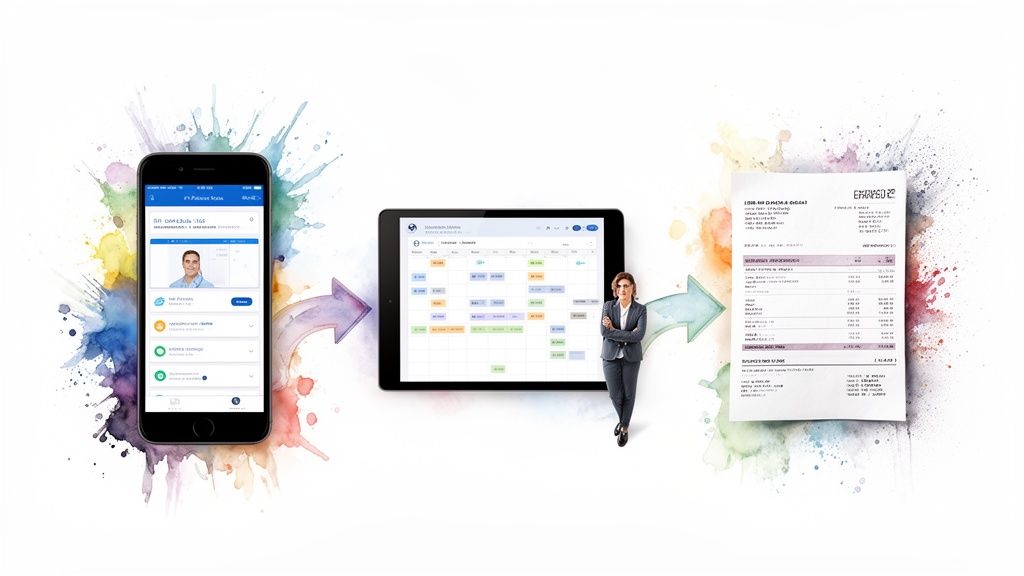
This interconnected design is precisely why fully integrated systems are winning out. They currently hold a staggering 74.4% of the market’s revenue share. When you bring billing, scheduling, EHR, and patient communication onto one platform, you slash licensing costs, break down the data silos that cause so many headaches, and dramatically improve accuracy. This is a huge deal, especially when you consider that administrative work can eat up as much as 20% of a clinician's day. If you want to dig into the numbers, you can read the full research on integrated system performance and see why the market has shifted so decisively.
Streamlined Patient Scheduling and Calendar Management
The appointment book has always been the heart of a practice, but modern PMS turns it into a dynamic command center. Forget the endless phone tag and messy handwritten notes. The software gives you a crystal-clear, color-coded view of every provider's schedule, what rooms are available, and the type of appointment, all in one place.
A few game-changing scheduling functions include:
-
Automated Reminders: These are lifesavers for cutting down no-shows. The system automatically sends texts, emails, or voice messages to patients, so they don’t forget their appointments.
-
Multi-Location Coordination: Staff at a central office can seamlessly book appointments across multiple clinic locations, making sure every provider and room is used to its full potential.
-
Intelligent Waitlists: When a last-minute cancellation happens, the system automatically pings patients on the waitlist to see if they want the open slot. It’s a brilliant way to fill gaps in the schedule without any extra work.
This level of organization does more than just maximize your providers' time. It also gives patients a far more reliable and convenient experience right from the get-go. As we explored in our guide to effective clinical workflow automation solutions, smart scheduling is a foundational piece of a modern practice.
Robust Medical Billing and Claims Management
Let's be honest: a practice can't help patients if it's not financially healthy. This is where a great PMS delivers its biggest bang for the buck. The software automates the entire revenue cycle, a notoriously complex process that starts with verifying a patient's insurance and ends with collecting payment.
Picture this: A patient walks in. The PMS instantly checks their insurance eligibility in real-time, flagging any potential coverage gaps right then and there. After the appointment, the doctor's notes flow directly into the system to generate an insurance claim.
Before that claim goes anywhere, the system's "claim scrubber" acts like a meticulous proofreader. It cross-references the claim against a massive database of payer rules to catch common errors, like coding mistakes or missing information, that would trigger an instant denial.
This proactive double-check is crucial. It prevents costly payment delays and keeps the cash flowing steadily. And for those few claims that do get denied, the system gives you clear reasons why and provides a structured workflow for managing the appeal. It turns a chaotic, frustrating process into something orderly and manageable.
Empowering Patients Through a Dedicated Portal
A truly modern PMS doesn't just stop at the clinic's front door. It reaches out to patients through an integrated portal, transforming them from passive recipients of care into active partners in their own health. The portal is essentially a secure, digital front door to your practice.
Through this portal, your patients can handle a lot on their own:
-
Book and Manage Appointments: They can see your providers' open slots and book a visit whenever it's convenient, even at 2 AM, without ever needing to call your office.
-
Complete Pre-Visit Paperwork: All those intake forms can be filled out from the comfort of home. This not only cuts down on waiting room time but also ensures their information is entered directly and accurately into the system.
-
Communicate Securely: Patients can send and receive secure messages with their care team for non-urgent questions, prescription refills, or simple follow-ups.
-
Access and Pay Bills: They can view their statements and pay online, which makes the collections process smoother and gives them the modern, easy payment options they expect.
Giving patients these self-service tools does more than just make them happier. It frees up your front-office staff from a huge administrative load, letting them focus on what matters most: the patients standing right in front of them.
How AI Is Revolutionizing Practice Management
While traditional medical practice management software has always been great for keeping a clinic organized, adding Artificial Intelligence (AI) takes it to a whole new level. It's the difference between a simple digital calendar and an intelligent assistant that thinks ahead. AI isn't some far-off concept anymore; it's being woven directly into modern PMS platforms, working behind the scenes to make practices smarter, faster, and more predictive.
This shift changes everything about daily operations. Instead of just reacting when a patient misses an appointment or a claim gets denied, AI-powered systems can now see these problems coming.
Predictive Analytics for Operational Excellence
One of the most immediate impacts of AI in a clinic is predictive analytics. This is where the software digs into your historical data: appointments, billing, patient communications, to forecast what’s likely to happen next. It gives your staff the power to get ahead of problems instead of constantly putting out fires.
Think of it as a sophisticated weather forecast for your clinic. By analyzing years of appointment data and factoring in everything from the season to a patient's personal history, the system can calculate the "no-show" probability for every single appointment on the books.
-
Proactive Scheduling: When the system flags a patient as a high no-show risk, your team can send a personalized reminder or make a quick confirmation call.
-
Optimized Waitlists: If an appointment slot does open up unexpectedly, the AI can instantly scan the waitlist and suggest the best patient to fill it, turning a potential revenue loss into a filled appointment.
Suddenly, your schedule isn't just a static grid; it's a dynamic tool that actively works to keep your providers’ time fully booked and productive.
AI-Driven Revenue Cycle Management
A practice’s financial health hinges on a clean revenue cycle, but claim denials are a notorious source of friction and lost income. AI brings a new kind of intelligence to the billing process, acting as a financial watchdog for your clinic.
Old-school "claim scrubbers" just check for basic mistakes. AI goes much deeper. It learns from massive datasets of historical claims from countless payers, spotting subtle, complex patterns that often lead to denials. For instance, it might notice that a specific insurance company frequently rejects a particular combination of diagnosis and procedure codes, even if they seem correct on paper.
By flagging these high-risk claims before they’re ever submitted, the system gives your billing team a chance to fix them. They can add more documentation, adjust the coding, or take other preventative steps. This proactive approach dramatically cuts down denial rates, speeds up payments, and saves your staff from the soul-crushing work of chasing down appeals.
This kind of intelligent financial oversight is crucial for building a resilient practice that isn't constantly bleeding revenue.
Automating Administrative Tasks with NLP
Another game-changing technology is Natural Language Processing (NLP), which is simply the branch of AI that lets computers understand human speech and writing. Inside a medical practice, NLP is a workhorse, automating tedious data entry and communication tasks that used to eat up hours of staff time.
Imagine a patient emails your front desk asking for an appointment. An NLP-powered system can read that email, understand the request, pull out the patient’s name and preferred date, and then create a draft appointment in the PMS for a human to quickly review and approve. This same tech can power 24/7 chatbots on your website that answer common patient questions, freeing up the front desk to focus on the people standing right in front of them.
This move toward smarter automation is happening alongside other major industry trends. The shift to the cloud, for example, has been a huge enabler, with cloud-based systems now holding 56.02% of the market share. Practices are moving to the cloud for better reliability and advanced analytics, and it just so happens that cloud platforms are the perfect environment for deploying powerful AI tools. This has helped many clinics reduce their IT costs by up to 40% compared to old on-premise servers.
For a peek at where this is all heading, look at the concept of China's first AI hospital with virtual doctors. While that's a futuristic example, the core ideas, using AI to manage patient flow and streamline care, are already here. Intelligent practice management isn't science fiction anymore; it's quickly becoming the new standard.
Off-the-Shelf vs. Custom-Built Software: Which Path Is Right for You?
Choosing your practice management software is more than just a tech purchase; it’s a strategic decision that will shape your daily operations for years to come. At the heart of this decision is a fundamental choice: do you go with a ready-made, off-the-shelf system, or invest in a custom-built solution?
Think of it like buying a suit. An off-the-shelf suit can look good and get the job done quickly. It's affordable and immediately available. But a tailored suit is crafted to your exact measurements, fitting perfectly and moving with you. The same logic applies to your software.
The Appeal of Off-the-Shelf Solutions
Off-the-shelf software is built for the masses. These platforms come with a standard set of features designed to cover the basic needs of most healthcare practices. Their biggest selling points are speed and a lower initial price tag.
For smaller clinics or practices with very straightforward workflows, this can be the perfect fit. If your operations don't deviate much from the industry norm, the quick deployment and predictable costs are a major advantage. You can get up and running in weeks, not months.
The catch? You have to adapt your way of working to the software's rules. If the system's pre-defined workflow doesn't match how your team operates, you're left with clunky workarounds and constant frustration – a system that works, but never feels quite right.
The Power of a Custom-Built System
A custom solution, on the other hand, is built around your practice. It starts with your ideal workflows, your unique challenges, and your specific goals. While this path requires a bigger investment of time and money upfront, the long-term payoff can be immense.
The real magic of custom software is that it bends to your will, not the other way around. It becomes a strategic asset, reinforcing what makes your practice unique and efficient.
This is especially true when integrating advanced capabilities like AI. A bespoke system can be designed to automate and predict exactly what your practice needs, from patient intake and scheduling to managing the most complex clinical cases.
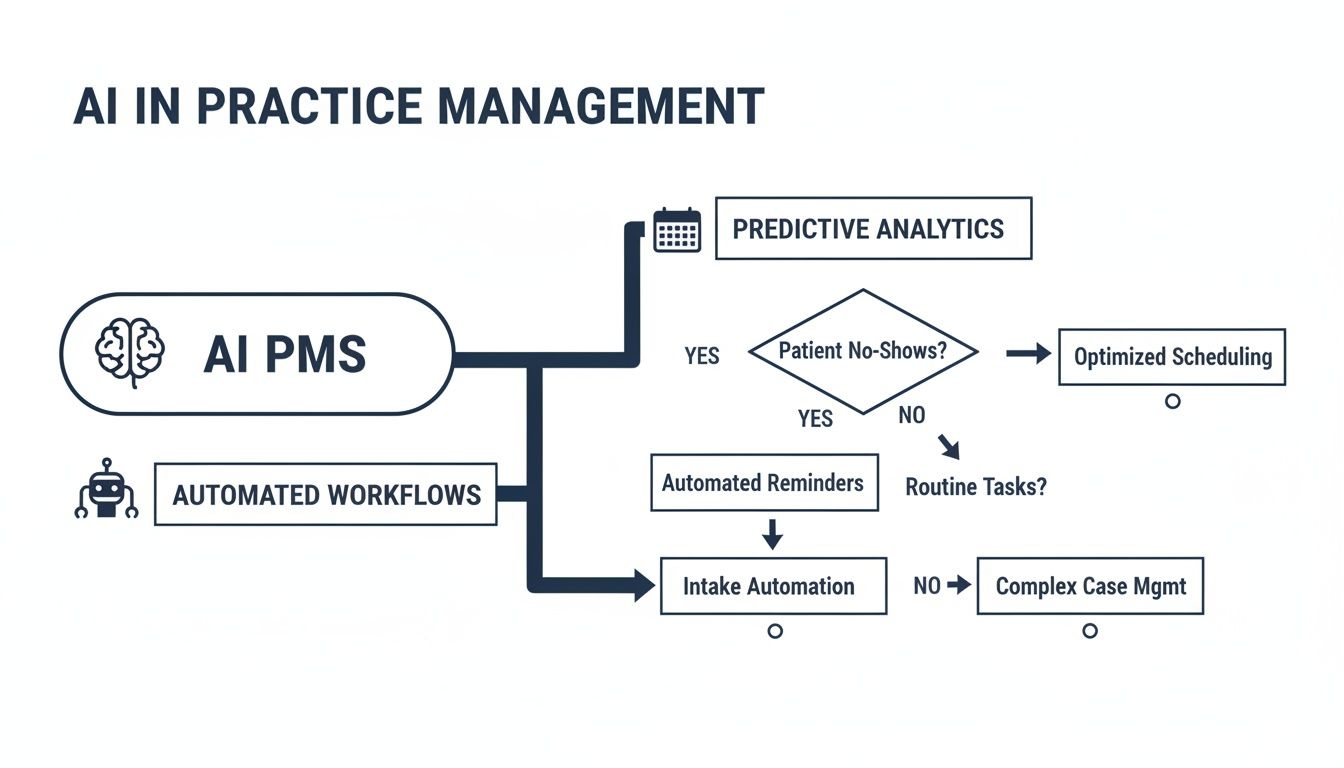
As you can see, these intelligent workflows aren't just generic add-ons; they're woven into the very fabric of your operations, creating a seamless and highly efficient flow.
Off-the-Shelf vs Custom-Built PMS: A Comparison
To help you weigh the options, here’s a head-to-head comparison. This table breaks down the key factors to consider when deciding which software model best suits your practice’s needs, budget, and long-term vision.
| Factor | Off-the-Shelf Software | Custom Development |
|---|---|---|
| Initial Cost | Lower upfront cost, often a subscription model (SaaS). | Higher upfront investment for design, development, and testing. |
| Implementation Speed | Fast. Can be deployed in weeks. | Slower. Typically takes several months or more. |
| Workflow Fit | General fit. Practice may need to adapt processes to the software. | Perfect fit. Software is designed around your existing, ideal workflows. |
| Scalability | Limited. May struggle to adapt to unique growth or new services. | Highly scalable. Can evolve and grow alongside your practice. |
| Competitive Edge | Low. You’re using the same tools as your competitors. | High. Unique features can create a distinct patient or staff experience. |
| Feature Set | Standardized. May include features you don’t need and lack ones you do. | Bespoke. You only build and pay for the features you will actually use. |
| Ongoing Costs | Predictable recurring subscription fees. | Lower ongoing costs after launch, primarily for maintenance and support. |
Ultimately, the right choice depends entirely on your context. A pre-built solution offers speed and affordability, while a custom build provides a long-term strategic advantage that’s impossible to replicate.
The decision boils down to a simple question: Are you willing to change your practice to fit the software, or do you need software that changes to fit your practice?
For larger organizations grappling with this, choosing the right development team is critical. As we explored in our guide, understanding how to find a true strategic software delivery partner is often the first step toward a successful custom build.
Your Roadmap for a Successful PMS Implementation
Switching to a new practice management system can feel a bit like performing open-heart surgery on your clinic’s operations. It’s a major procedure, and the stakes are undeniably high. But it doesn’t have to be a chaotic, disruptive event. With a solid, well-thought-out plan, the transition can be smooth and set your practice up for success from the get-go.
This roadmap breaks down the essential stages for implementing a PMS. The goal here is to minimize downtime and make sure your team feels confident and ready to use the new tools from day one. It all starts with taking an honest look at how you operate right now.
Phase 1: Laying the Groundwork
Before you even think about watching a vendor demo, you need to know exactly what you’re trying to fix or improve. So many implementation projects go off the rails because a practice gets dazzled by flashy features instead of focusing on their actual, day-to-day operational needs.
Your first move should be to pull together a small project team. Make sure it includes people from every corner of your practice: front desk staff, billers, clinicians, and of course, management. This group’s job is to:
-
Do a Needs Assessment: Map out your current workflows, warts and all. Where are the bottlenecks? What tasks eat up too much time? Where do mistakes keep popping up?
-
Define What Success Looks Like: Set some clear, measurable goals. Is the aim to cut your claim denial rate by 15%? Or maybe shave five minutes off the average patient check-in time? Get specific.
-
Build a Realistic Budget: The price tag on the software is just the beginning. You have to account for the cost of migrating your data, training your staff, any potential hardware upgrades, and the ongoing support fees.
Don’t rush this discovery phase. It’s the single most important step to ensure you end up with a system that solves your real-world problems, not just the ones a salesperson thinks you have.
Phase 2: Data Migration and System Setup
Once you’ve picked your vendor or decided to go the custom software development route, the real technical work begins. Moving your data is easily the most critical and riskiest part of the whole process. Shifting patient demographics, appointment histories, and years of billing records from one system to another requires extreme care and planning.
Here’s a classic, costly mistake we see all the time: migrating “dirty” data. That means information that’s old, incomplete, or full of duplicates. You absolutely must clean up your data before you move it. If you don’t, you’re just baking old problems into your brand-new system.
At this stage, your implementation partner will also start configuring the software to fit your practice’s unique workflows. This is where all that hard work from the needs assessment really pays off, as it allows them to tailor the setup to feel natural for your staff. As an experienced AI solutions partner, we know that a system configured correctly from the start is the foundation for everything else.
Phase 3: Training and Go-Live
Great technology is useless if your team doesn’t know how to use it properly. Skimping on training is a surefire way to end up with frustrated employees and poor adoption of the new system. A great training plan needs to be:
-
Role-Specific: Your billing team doesn’t need to know the ins and outs of patient scheduling, and your front-desk staff doesn’t need deep training on clinical charting. Tailor the training sessions for each specific role.
-
Hands-On: Give everyone a “sandbox” environment. This is a safe, separate version of the software where they can practice with test data. It lets them click around, make mistakes, and learn without any real-world consequences.
-
Ongoing: A one-and-done training session isn’t enough. Plan for follow-up sessions and make sure everyone knows where to find support guides and resources long after the launch.
Your “go-live” day should be planned with military precision, preferably during a slower time for the clinic. Have extra support staff ready to help: both your own super-users and people from the vendor, to tackle any issues as they pop up. A structured launch turns a potentially stressful event into a controlled, successful transition, ensuring you start seeing a return on your investment right away.
Navigating Security and HIPAA Compliance
In healthcare, data security is more than just a feature; it’s the bedrock of patient trust. Every single time you handle Protected Health Information (PHI), you’re making a decision that carries immense weight. Your medical practice management software acts as the primary guardian of this sensitive data, so its security architecture isn’t just important; it’s everything.
A single breach can trigger staggering financial penalties, ruin your practice’s reputation, and completely shatter the confidence your patients have in you.
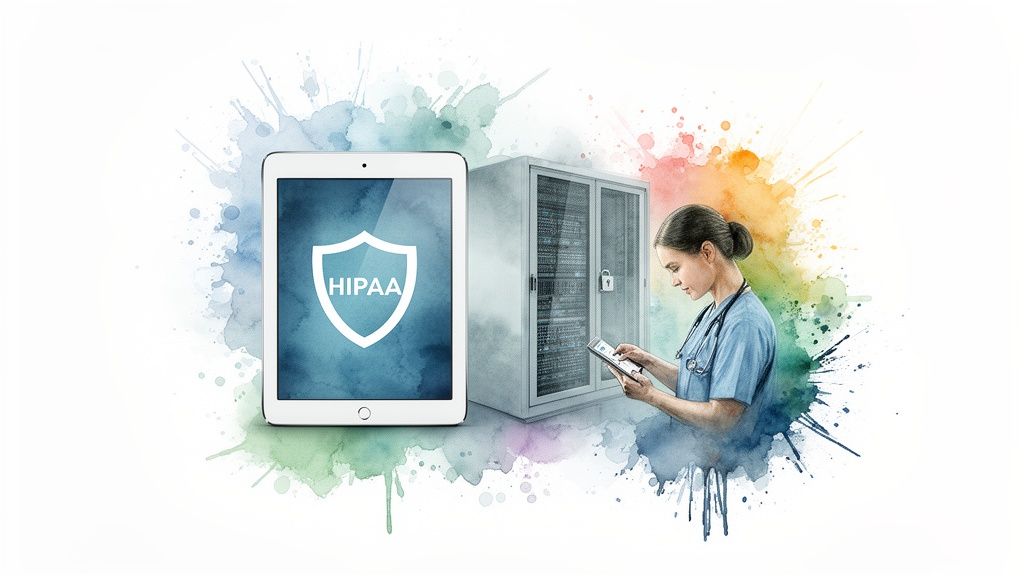
This isn’t just good practice; it’s the law. The Health Insurance Portability and Accountability Act (HIPAA) is the federal standard for protecting sensitive patient data. Choosing a PMS that is demonstrably HIPAA compliant isn’t optional.
Core Pillars of a HIPAA-Compliant PMS
To truly protect patient data, a PMS needs to be built on a few non-negotiable security principles. Think of them as layers of armor creating a fortress around your patients’ information. It’s also vital to understand the specific nuances of HIPAA compliance for SMB medical practices to make sure you’re covering all your bases.
Here are the key security features you absolutely need to look for:
-
Data Encryption: All PHI must be encrypted both “at rest” (when it’s just sitting on a server) and “in transit” (when it’s moving across a network). This process essentially scrambles the data, making it completely unreadable to anyone who isn’t authorized to see it.
-
Role-Based Access Controls (RBAC): Let’s be honest, not everyone on your staff needs to see every piece of patient information. RBAC is how you enforce the “principle of least privilege,” ensuring employees can only access the specific data required to do their jobs.
-
Comprehensive Audit Trails: A compliant system logs everything. It tracks who accessed what data, precisely when they did it, and any changes they made. These detailed logs are your first and best tool for investigating any security concerns.
The Indispensable Business Associate Agreement
When you sign on with a software vendor, you’re placing your patients’ PHI in their hands. According to HIPAA, this makes them a “Business Associate,” and the law requires you to have a Business Associate Agreement (BAA) in place with them.
A BAA is a contract. It’s your legal guarantee that your software partner takes HIPAA as seriously as you do. It spells out their responsibilities for protecting data, reporting breaches, and maintaining security. Never, ever work with a vendor that won’t sign one.
This level of scrutiny is exactly how we approach our work. Our experience in healthcare software development is founded on a security-first philosophy, making sure any solution we touch is designed from the ground up to protect sensitive data. As we’ve detailed in our previous article, getting a firm grip on what goes into HIPAA-compliant application development is the starting point for building a secure digital health environment.
Frequently Asked Questions
When you’re looking into medical practice management software, a lot of questions pop up. It’s completely normal. Let’s walk through some of the most common ones we hear to help clear things up before you make your final call.
What Is The Difference Between An EHR And A PMS?
It’s easy to get these two mixed up, but they handle very different sides of your practice. Think of an Electronic Health Record (EHR) as your clinical hub; it’s all about patient care. This is where you’ll find medical histories, diagnoses, and treatment notes.
On the other hand, medical practice management software (PMS) is the operational engine. It runs the business side of things: patient scheduling, medical billing, and processing insurance claims. While they can operate separately, the real magic happens when they’re integrated. Data flows smoothly from a patient’s chart right into the billing process, which cuts down on errors and saves a ton of time. This kind of seamless connection is a big focus in modern healthcare software development.
How Long Does A Typical PMS Implementation Take?
That really depends on the scale of the project. A small, single-office clinic going with a standard cloud-based system could be live in as little as 4–8 weeks. But for a large, multi-location practice needing a custom build with complex data migration, you’re more likely looking at 6–12 months.
The timeline is really shaped by a few key things: how clean your current data is, how much you need to tweak workflows, and how much training your team will need to get comfortable with the new system.
Can Medical Practice Management Software Really Improve Patient Engagement?
Yes, absolutely. It’s one of the biggest benefits. Most modern PMS platforms come with a patient portal, which is a game-changer for patient experience. It gives them the power to manage their own care to a degree.
Patients can book their own appointments online, fill out all the tedious intake forms from home before they even arrive, send a secure message to their doctor, or pay a bill without making a phone call. This doesn’t just make patients happier; it takes a huge administrative load off your front-desk staff, freeing them up for more important, in-person interactions.
What Is The Biggest Mistake Practices Made When Choosing A PMS?
This is a big one. The most common pitfall we see is getting dazzled by a long list of features and losing sight of what the practice actually needs. A system might have a thousand bells and whistles, but if it makes your team’s daily work more complicated, it’s the wrong choice.
The best way to avoid this is to map out your most critical workflows before you even start looking at software. Once you know how you need to work, you can find a system or pursue custom software development that actually fits you. The technology should always serve your practice, not the other way around.
Ready to build a smarter, more efficient practice with a system designed for your unique needs? As your dedicated AI solutions partner, Bridge Global specializes in creating intelligent software that drives real results. Let’s discuss how our expertise in AI and custom development can transform your operations.

About Preethi Saro Philip
Preethi Saro Philip is a Post Graduate Research Degree holder in Economics with more than 10 years of experience in writing, editing, research and teaching. She has an intense passion for content crafting and calls herself a ‘wordsmith’. She enjoys writing on wide-ranging topics including business, technology, health & lifestyle, education, environment etc.
View all posts by Preethi Saro Philip →